7. Coding Guidelines
Note that because of Qt’s nature, some of the coding guidelines transcend the language barrier between Python and C++.
7.1. Language Agnostic Guidelines
7.1.1. Widget Names
Each widget shall have a unique name.
Use the kind of widget as suffix. This allows to quickly understand what the widgets are. as example: nameLineEdit, addressTextField, altitudeSpinBox.
7.1.2. Application Identification
Each Application shall identify itself using a Name, Organization, Version, Title in the Window, and an Icon.
See:
7.1.3. Additional “About” Entries
Add the ESO About and Application About menu entries. This need to be present in the application, per licensing regulations.
These dialogs are part of the framework, the developer only needs to indicate the extra licenses the software uses.
7.1.4. Organization of Classes
Any application will use widgets. If new widgets are required for the development of these application, please refer
7.2. Python
7.2.1. Basic GUI Application
A tutorial on how to write a basic GUI application is available at:
https://ftp.eso.org/pub/elt/repos/docs/CUT/sphinx_doc/html-latest/docs/320_python_application.html
The code that is produced in the tutorial is available at:
https://gitlab.eso.org/ecos/cut/-/tree/master/examples/python_application
This extra content will guide you from through the following topics:
Creation of a WAF project
Creation of a Python application
UI design
Implementation, and
Execution of long running jobs in a separate thread.
A cookiecutter template for the same example is available at: https://gitlab.eso.org/ecos/cut/-/tree/master/templates
The following steps allows the developer to have a quick project running:
(base) [eeltdev@eltdev ~]$ git clone https://gitlab.eso.org/ecos/cut.git
(base) [eeltdev@eltdev ~]$ cookiecutter cut/templates/python_application
project_name [CUT Python Application]:
project_name_slug [cut-python-application]:
project_version [0.0.1-dev]:
app_name [CutPyApp]:
app_exe_name [cutpyapp]:
waf_module [cutpyapp]:
pkg_name [cutpyapp]:
(base) [eeltdev@eltdev ~]$ cd cut-python-application
(base) [eeltdev@eltdev ~]$ waf configure build install
(base) [eeltdev@eltdev ~]$ CutPyApp
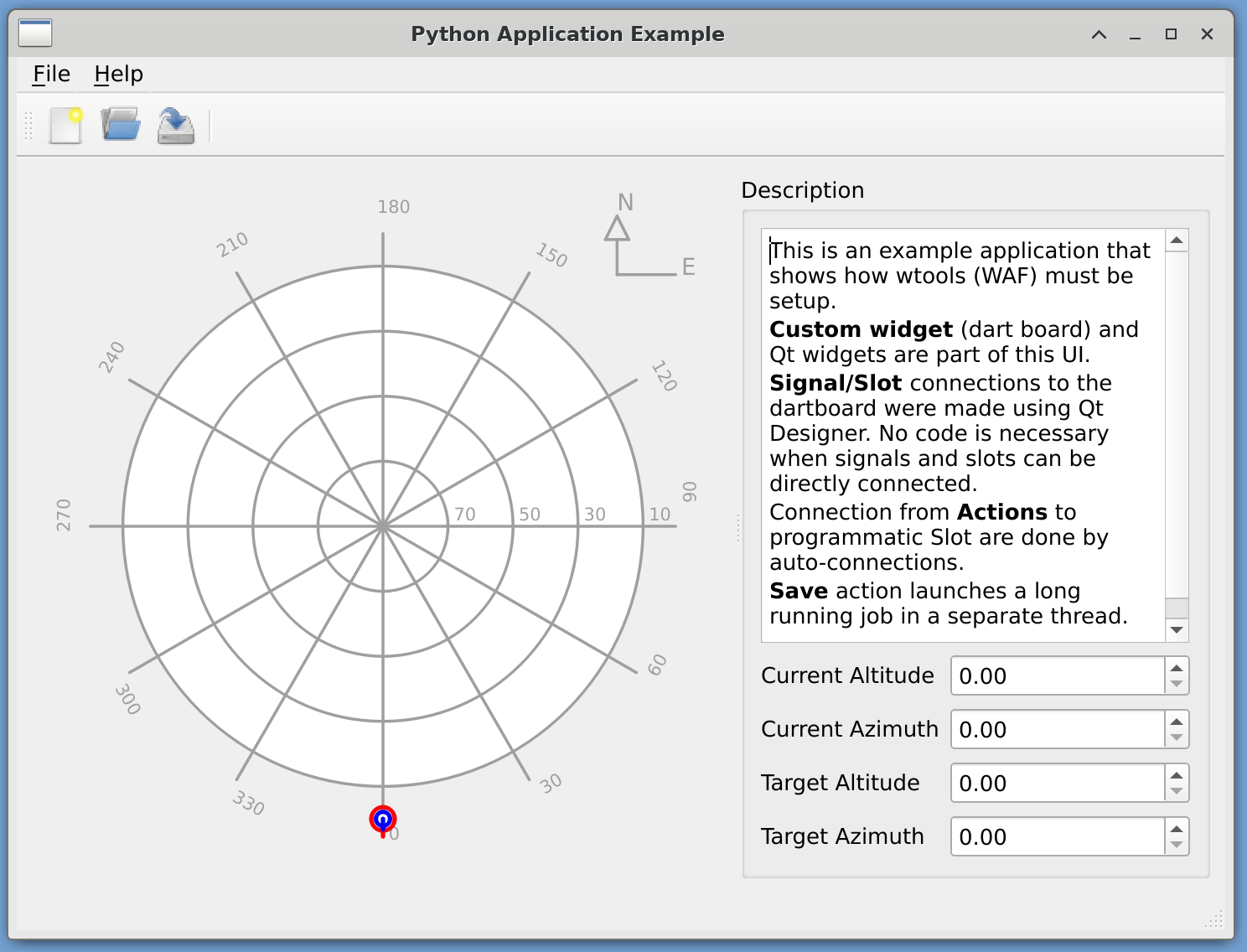
Python Application Example produced from the template
7.3. C++
7.3.1. New Widget, Plugin and Bindings to Python
This is a small discussion on the topic of creating new widget, and how it integrates with the build system, Qt Designer plugin, and bindings.
If the developer needs more information on how to create Qt widgets, we suggest the following tutorials.
This example is further extended in https://gitlab.eso.org/ecos/cut/-/tree/master/examples/widget_library, which contains an example project that any developer can copy and extend as they see fit.
A tutorial on the matter is available at https://ftp.eso.org/pub/elt/repos/docs/CUT/sphinx_doc/html-latest/docs/330_widget_library.html
The following is the expected contents of project that provides widgets for the ELT software:
libraryname
|
|- widgets // only widgets, just drawing instructions
| |- src
| | |- include
| | |- libraryname.h // includes all other widgets headers
| | |- libraryname
| | | |- widgetnameone.hpp
| | | \- widgetnametwo.hpp
| | |- widgetnameone.cpp // inherits at some point from QWidget
| | |- widgetnametwo.cpp // inherits at some point from QWidget
| | \- uifileifneeded.ui
| | - qrcfileifneeded.qrc
| |- resource
| | \- image.png
| - wscript
|
|- plugin
| |- src
| | |- include
| | | |- libraryname
| | | | |- widgetnameoneplugin.hpp // inherits from QDesignerCustomWidgetInterface
| | | | |- widgetnametwoplugin.hpp // inherits from QDesignerCustomWidgetInterface
| | | | \- librarynamecollection.hpp
| | |- widgetnameoneplugin.cpp
| | |- widgetnametwoplugin.cpp
| | - librarynamecollection.cpp // inherits from QDesignerCustomWidgetCollectionInterface
| - wscript
|
|- bindings
| |- src
| | |- bindings.hpp
| | \- bindings.xml // uses "libraryname" as python module name
| \-- wscript
|
\-- wscript
Tree Structure for a Widget project
The project shall be called “libraryname”. It is also how the module for this library is called. The project will compile two products:
1 shared library, with the widgets.
1 shared library, that is a plugin, for Qt Designer.
1 python library that contains the bindings from C++ to Python
Tip
When developing widgets, you can forgo for a while the plugin. You can use Widget Promotion in the Qt Designer in the meantime. But in order to allow other developers to design Uis using the widgets, you need to provide a plugin for the Designer.
Warning
Please do not bundle the widget and the plugin together in one WAF module.
7.3.1.1. Widgets
The widgets module, through its WAF script will compile a shared library. An example of this:
from wtools.module import declare_qt5cshlib

declare_qt5cshlib(
   target='widgets',
   use='Qt5Core Qt5Gui Qt5Widgets Qt5Svg Qt5Designer Qt5Xml',
)
WScript file that declares a Qt shared library.
The declare_qt5cshlib command will automatically search for any UI files, and produce the necessary UIC instruction, creating the C++ file for that UI file. Also, when installing this library, its target will be $INTROOT/lib64, which is already in the LD_LIBRARY_PATH, and therefore your program will be able to find it. Also, this will install the includes, so that developer can find them in $INTROOT/include
Warning
This WAF command does not trigger the call to the MOC compiler automatically (See WAF Qt5 documentation). When a Class inherits from QObject, the developer needs to add to its widgetname.cpp file these lines:
#if WAF
#include "include/widgetnameone.moc"
#endif
7.3.1.2. Plugin
In the “plugin” module, the wscript will look a bit different:
from wtools.module import declare_qt5cshlib

declare_qt5cshlib(
   target="plugin",
   use="Qt5Core Qt5Gui Qt5Widgets Qt5Designer Qt5Xml Qt5UiPlugin libraryname.widgets",
   qt5_plugin=True
)
WScript file that declares a Qt Designer Plugin library.
This wscript file also uses the declare_qt5cshlib wtools instruction. The main difference here is the additional keyword argument qt5_plugin=True. This will indicate to the install command that the resulting library should be place into $INTROOT/lib64/designer. Then the QT_PLUGIN_PATH environment variable can be used by Qt Designer to find any widgets plugin. QT_PLUGIN_PATH shall be $INTROOT/lib64, as the designer expects a certain directory structure. One of these directories is designer, which is the one used to store any plugin intended for Qt Designer.
The second different is that the use argument for declare_qt5cshlib command now include libraryname.widgets. This indicates WAF that widgets module is a depedency, and therefore, must be compiled before this module, its includes added to include paths, and its library added for linking instructions.
Also, the installation instruction does not copy the includes from this module to the $INTROOT. As the plugins are not intended to be used for development, these files are not meant for further development.
7.3.1.3. Bindings
The bindings module has no WAF support at this point, but this is the expected structure. The product of this module is a C++ shared library that acts as a python module. Its installation target is different, as it is intended to be loaded and imported by python scripts:
$INTROOT/lib/python$PYTHON_VERSION/site-packages/.
Warning
This module is here for illustration purposes only. When WAF support is added, we will review this document.
In the working example archived in https://gitlab.eso.org/ecos/cut/-/tree/master/examples/widget_library/, the developer can find a current working solution for bindings generation. This is not the final product, and changes can be expected. Use under advisement.