5. Ergonomics
5.1. Visual Design
The visual design practice to be followed is a desktop-flat-like design. We avoid the use of background colors, gradients or images.
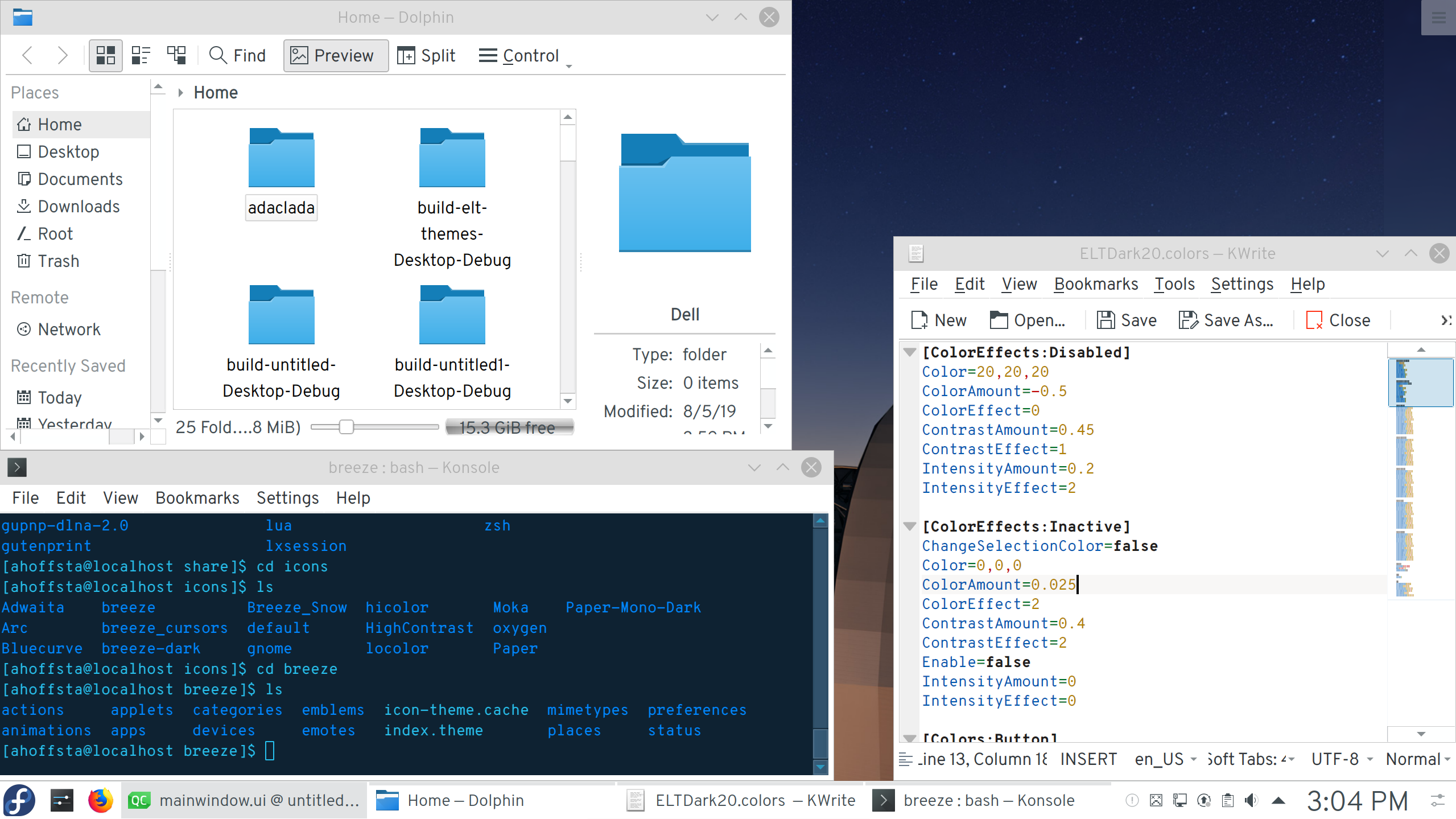
ELT Desktop Environment with day theme
Tip
All discussed visual design schemes do not need configuration or programming choices. The developed application shall use default values, and the desktop environment will provide the configuration so that Qt uses the proper configuration.
5.2. Fonts
The font selected for the user environment is: Overpass, and Overpass Mono [RD2]. The default size is 10, in Light weight. This font comes pre-installed in the Control UI Toolkit resp. DevEnv, and is configured as the default font of the desktop environment.
No further configuration or coding is needed from the developer.
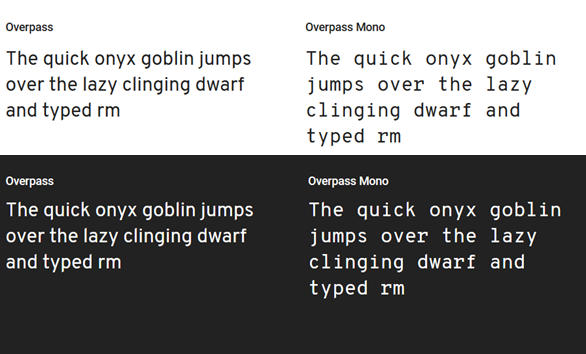
Overpass fonts
The font’s characteristics are complying with the project requirements, in particular: variable weight and height, hinting, kerning, scaling, and compatible license.
5.3. Widgets Style
The selected Qt Widget Style is Fusion, for both desktop and QML widgets. This configuration is pre-defined by the user environment.
5.4. Colour Scheme
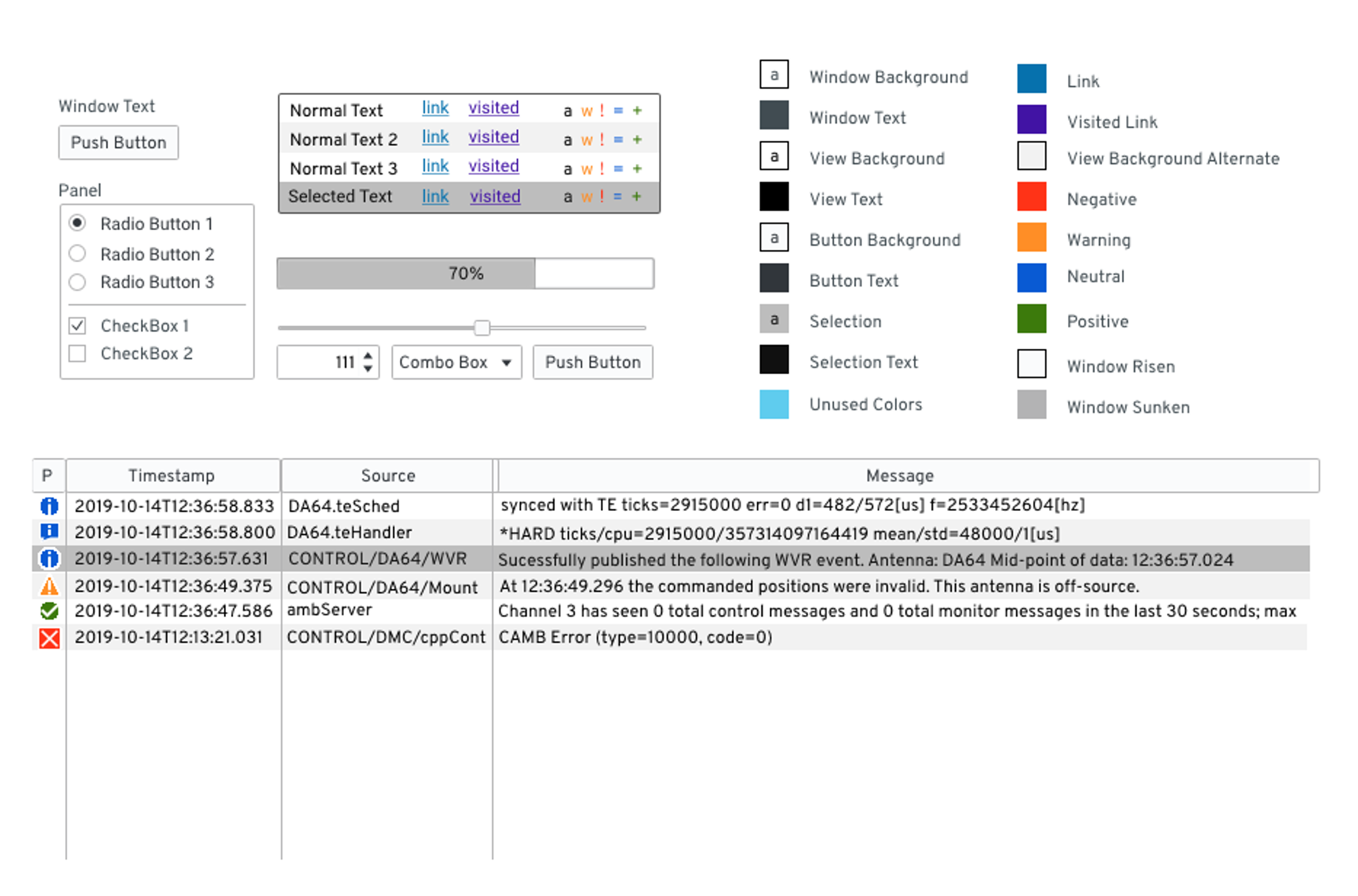
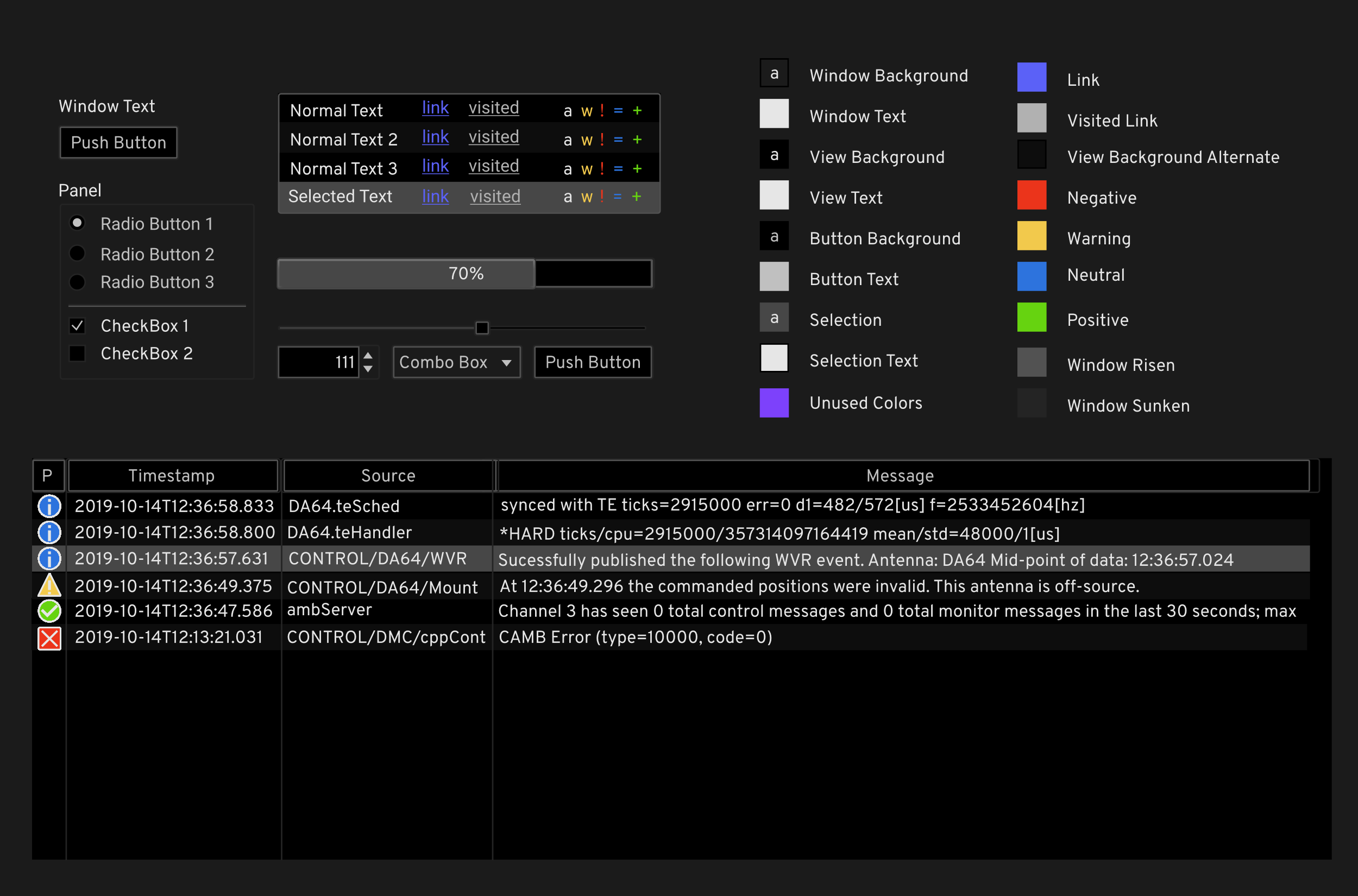
There are three colour schemes present in the system: Day, Night, and Visually Impaired. All color schemes have been checked for contrast ratio and deuteranomaly compatibility.
Though colour schemes are set by Desktop Environment configuration files, the UI toolkit provides a manner to access the RGB values of the colours, in particular the Negative, Warning, Neutral, Positive colours, in case a developer needs to reuse said values.
The selected day colour scheme is: |
|---|
|
The selected night colour scheme is: |
|---|
|
5.5. Icon and Images
Icons are provided in the DevEnv, in standard installation path /usr/share/icons. Icon names and directory structure follows [RD7].
The selected icon themes are:
Day – Normal Operations |
Night – Normal Operations |
Visually Impaired |
|---|---|---|
|
|
|
Breeze |
Breeze Dark |
High Contrast |



The icons are installed in the default system location, so Qt can reference them using the QIcon class [RD11].