RAD Hello Tutorial
This documents teaches the reader how to develop a basic GUI application for the RAD Hello application. This documents assumes you have read and followed both Python Application Tutorial, and the RAD Tutorial, Part 1.
In this tutorial, the reader will learn how to extend an existing application, implement MAL Reply/Request communications and trigger them from the GUI, and show OLDB data points.
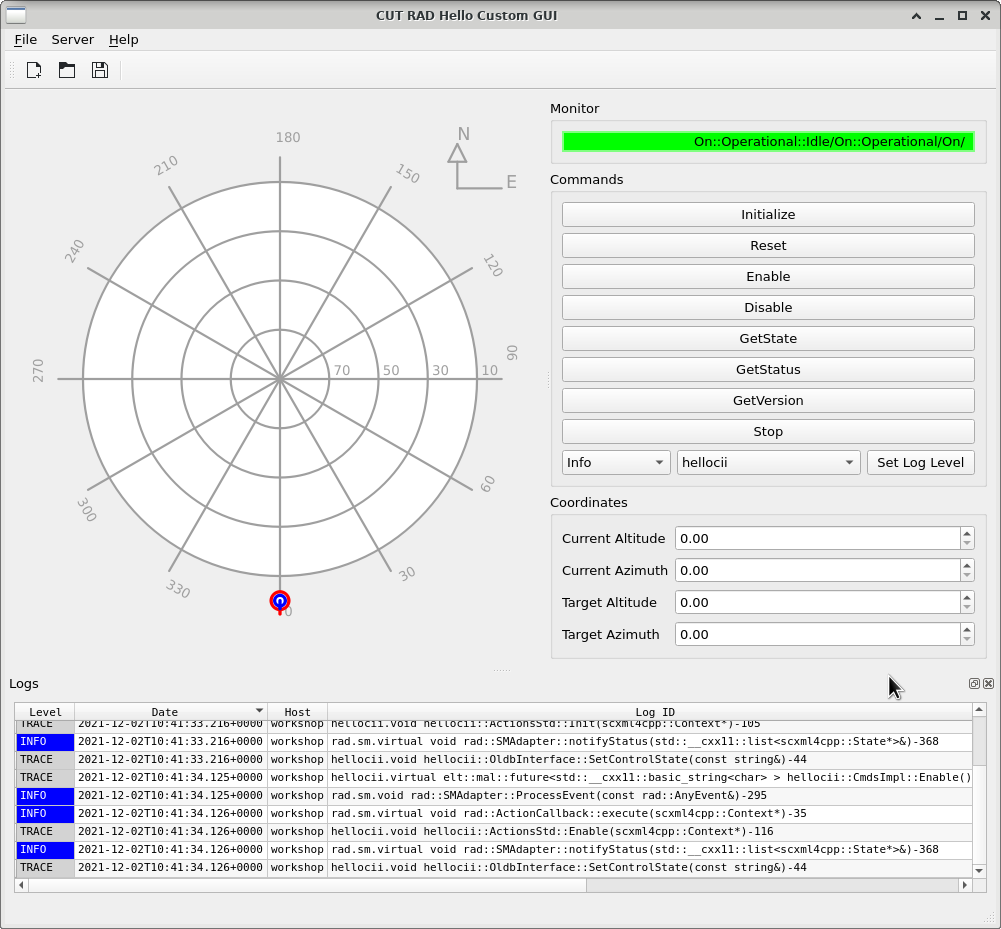
Final product of this tutorial
Table of Contents
- 1. Introduction
- 2. Download, Compilation, and Running
- 3. Project Structure
- 4. Project Definition (wscript)
- 5. Module Definition (cut_rad_hello/wscript)
- 6. Entry Point Python Script (cut_rad_hello/src/cut_rad_hello.py)
- 7. Graphical Design Updates (cut_rad_hello/src/cut_rad_hello/mainwindow.ui)
- 8. StdCmds Interface (cut_rad_hello/src/cut_rad_hello/stdcmdsfacade.py)
- 9. UI Implementation (cut_rad_hello/src/cut_rad_hello/applicationwindow.py)
- 10. RAD Tutorial Second Part
- 10.1. OLDB Data Points (cut_rad_hello_custom/src/cut_rad_hello_custom/mainwindow.ui)
- 10.2. Preset Command
- 10.2.1. Modifications to (cut_rad_hello_custom/src/cut_rad_hello_custom/mainwindow.ui)
- 10.2.2. Modifications to UI Implementation (cut_rad_hello_custom/src/cut_rad_hello_custom/applicationwindow.py)
- 10.2.3. Modifications to Server Class (cut_rad_hello_custom/src/cut_rad_hello_custom/stdcmdsfacade.py)
- 10.3. Replace QeDartBoard by QeRaDec (cut_rad_hello_custom/src/cut_rad_hello_custom/mainwindow.ui)