![[ ESO ]](/images/eso-logo.gif)
QC1 browser
|
|---|
| QC1
Database User's Guide: QC1 browser |
| QC1 database | |||
|---|---|---|---|
| Users Guide | |||
 purpose purpose | |||
| general | |||
| QC1 browser | |||
| QC1 plotter | |||
| QC1 database | |
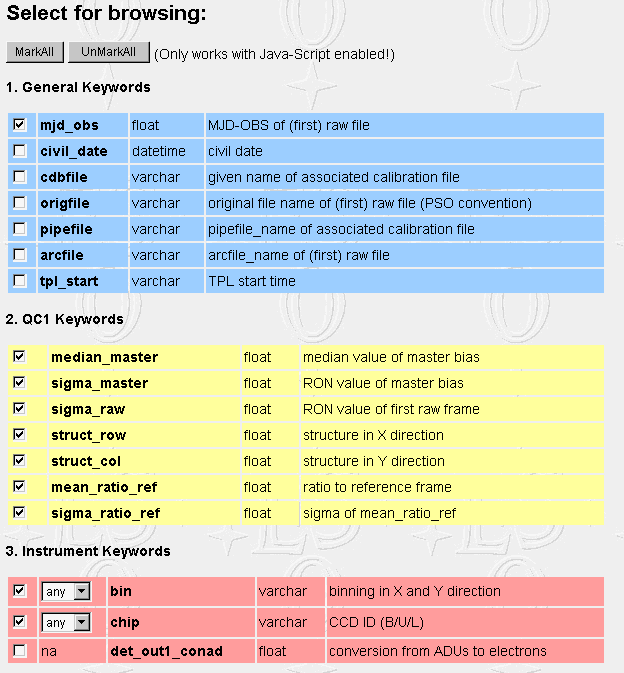
This interface allows to browse the complete, selected or filtered content of a chosen table. The selected options are transformed into a database query. The example below can be verified by chosing 'uves' and 'uves_bias' in the general interface.
Section 1-3: General, QC1 and instrument keywords can be selected. The default selection is based on the most relevant numerical (integer or real) keywords. Some or all of the Instrument Keywords can be used for filtering the output. Default setting is always 'any'. The string 'na' shows up for those keys which cannot be used for filtering. Selection can be reset. A Markall/UnMarkAll option is offered on top.
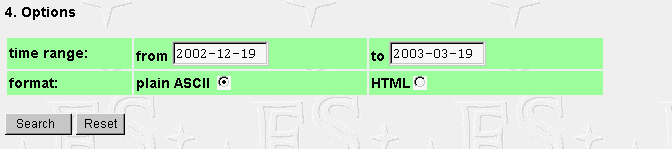
Section 4: The time range for data selection can be specified. Default values are: from [today minus 3 months] to [today]. Output format options are 'ASCII' (with a headline and unformatted output, preferred for machine processing of the output), and 'HTML' which includes formatting. The HTML option should be avoided in case of larger data sets (more than 300 or so lines) since the HTML tag overhead becomes significant then.
The navigation bar on top connects to the QC home page, the top-level (general) QC1 database interface, the corresponding QC1 plotter interface (same instrument, same table), and to this user's guide.
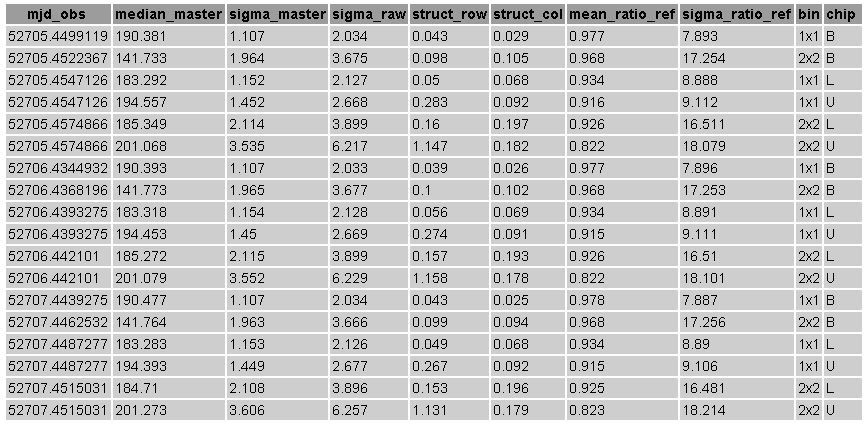
The output either comes as unformatted ASCII table, or as HTML file:
|
|
|
|
|||
![[ Internal QC Home page ]](qc1db.gif) |
|
||