This appendix describes the syntax of HST data file names, which encode a large amount of information about the files themselves. Datasets retrieved from the Archive as described in Chapter 1 consist of multiple files in FITS format, each with a name that looks like this:
ipppssoot_sfx.fits
In order to use IRAF/STSDAS tasks to work with data from instruments other than NICMOS and STIS, you will want to convert these FITS files into GEIS format. See page 2-11 for instructions on how to convert FITS files to GEIS files using strfits. Like FITS files, the names of GEIS files also derive from a file's rootname and suffix, and they look like this:
ipppssoot.sfx


Generally the suffixes of GEIS files end either in "d", indicating a binary data file, or "h", indicating an ASCII header file. The two GEIS files x3l80101t_d0h and x3l80101t_d0d together contain the same information as the single FITS file x3l80101t_d0f.fits.
The identifier referred to here as a "suffix" has often been called an "extension" in the past. However, the individual pieces of FITS files are also known as "extensions" (see "Working with FITS Image Extensions" on page 2-4). For clarity, this handbook will use the term "extension" when refering to a component of a FITS file and the term "suffix" when referring to the three character identifier in a filename.
Table B.1: IPPPSSOOT Root File Names
OMS Files
Observatory Monitoring System (OMS) files, having suffixes cm* or ji*, contain Observation Logs describing how the HST spacecraft behaved during a given observation. OMS headers, which you can read with the IRAF task imheader (see "Working with GEIS Files" on page 2-11), are divided into groups of keywords that deal with particular topics such as SPACECRAFT DATA, BACKGROUND LIGHT, POINTING CONTROL DATA, and LINE OF SIGHT JITTER SUMMARY. The headers themselves provide short descriptions of each keyword.OMS tables and images record spacecraft pointing information as a function of time. For more information on OMS files, you can consult Appendix C or the STScI Observation Logs WWW pages at:
http://www.stsci.edu/ftp/instrument_news/Observatory/
obslog/OL_1.html PDQ FilesThe suffix pdq denotes Post Observation Summary and Data Quality Comment files-PDQ files-which contain predicted as well as actual observation parameters extracted from the standard header and science headers. These files may also contain comments on any obvious features in the spectrum or image, as noted in the OPUS data assessment, or automatically extracted information about problems or oddities encountered during the observation or data processing. These comments may include correction to the keywords automatically placed in the OMS files. The sample PDQ file on page 5-9 gives an example of such a correction.
OCX Files
The suffix ocx denotes Observer Comment Files-OCX files-which are produced by STScI personnel to document the results of real-time commanding or monitoring of the observation, along with keywords and comments. Prior to April 17, 1992, OCX files were not always archived separately and, in some cases, were prepended to the trailer file.
After early February 1995, OCX files were produced only when an observation was used to locate the target for an Interactive Target Acquisition. At this time, mission and spacecraft information were moved to the PDQ reports and the Observation Logs (OMS jitter image and jitter table).
Trailer Files
Trailer files (suffix trl) are ASCII files that log the processing of your data by the OPUS pipeline.
Note that trailer files are formatted with 132 columns.
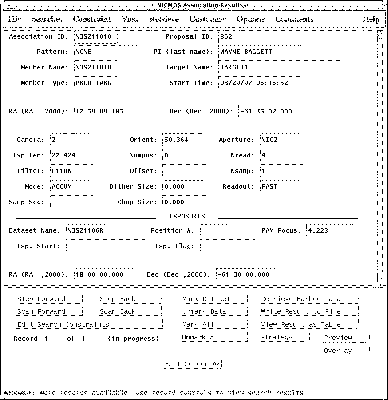
When you search the Archive with StarView for observations involving associations of exposures, your search will identify the final association product. The rootnames of association products always end in zero (see Table B.1 above.) If you request both Calibrated and Uncalibrated data from the Archive, you will receive both the association product and the exposures that went into making it. The corresponding association table, located in the file with suffix asn and the same rootname as the association product, lists the exposures belonging to the association. You can read this file using the STSDAS tprint or tread tasks (see "Tables" on page 3-2). The exposure IDs in the association table share the same ipppss sequence as the association rootname, followed by a base 36 number nn (n = 0-9,A-Z) that uniquely identifies each exposure, and a character t that denotes the data transmission mode (see Table B.1).
In practice, STIS and NICMOS store the exposures belonging to associations differently. The exposures belonging to a STIS association all reside in the same file, while the exposures belonging to a NICMOS association reside in separate datasets. See the relevant Data Structures chapters for more details.
Figure B.1: Association Results Screen from StarView