rtccustomwidget.RtcCustomTVLabelWidget Class Reference
Implements the Label widget of the RtcCustomWidget. More...
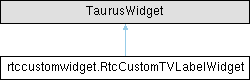
Inheritance diagram for rtccustomwidget.RtcCustomTVLabelWidget:
Public Member Functions | |
| __init__ (self, parent=None, designMode=False) | |
| Initializes the Widget, setting the parent. | |
| setModel (self, model) | |
| setModel is the main method to interacts with TaurusWidgets. | |
Public Attributes | |
| lbl_name = QLabel(parent) | |
Static Public Attributes | |
| layoutAlignment = Qt.AlignTop | |
Detailed Description
Implements the Label widget of the RtcCustomWidget.
This widget is used by the TaurusForm class to create the widget that belongs to the "Label" column of the grid layout of the TaurusForm.
Constructor & Destructor Documentation
◆ __init__()
| rtccustomwidget.RtcCustomTVLabelWidget.__init__ | ( | self, | |
| parent = None, | |||
| designMode = False ) |
Initializes the Widget, setting the parent.
This widget takes its UI definition from a Qt UI file.
- Parameters
-
[in] parent QWidget that will be the parent of this widget [in] designMode Used by the Qt Designer to avoid undesirable interactions.
Member Function Documentation
◆ setModel()
| rtccustomwidget.RtcCustomTVLabelWidget.setModel | ( | self, | |
| model ) |
setModel is the main method to interacts with TaurusWidgets.
It carries the URI of the Component which we want to connect. We should always call the parent implementation, but we can do more changes with this information.
- Parameters
-
[in] model URI of the component
Member Data Documentation
◆ layoutAlignment
|
static |
◆ lbl_name
| rtccustomwidget.RtcCustomTVLabelWidget.lbl_name = QLabel(parent) |
The documentation for this class was generated from the following file:
- _examples/exampleRtcWidget/src/rtctk/examples/rtc/custom/widget/rtccustomwidget.py
Generated by
 1.13.2