9. Styles
The library ships with pre-built QSS (Qt Style Sheet) themes that provide consistent appearance across all widgets. Each theme defines general widget styling for dock widgets, buttons, labels, and spinboxes.
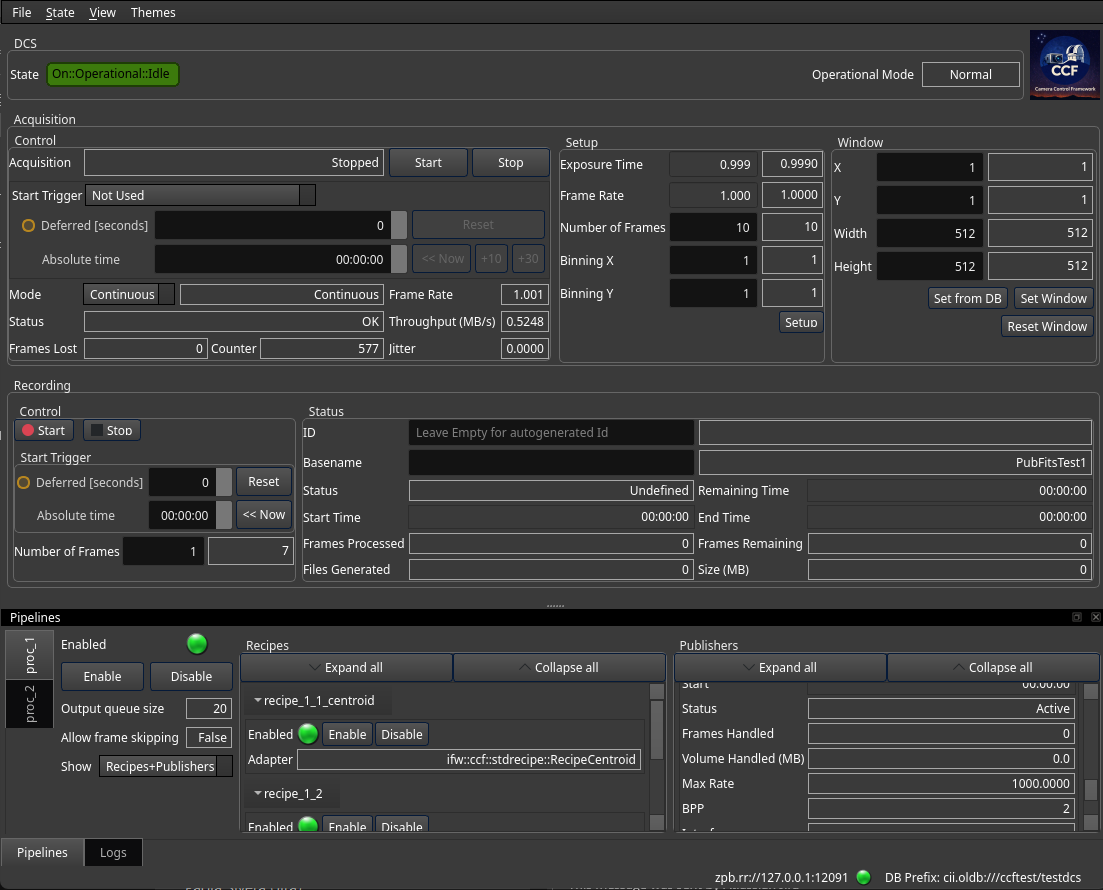
ccfGui panel with Combinear dark theme applied
9.1. Available Themes
Four themes are provided:
Default – Light theme, suitable for standard control room use.
Combinear – Dark theme with high-contrast elements.
Diffnes – Teal-accented dark theme.
Takezo – Dark theme with gradient accents.
Each theme is a single .qss file located at:
config/ifw/wdglib/styles/<ThemeName>/<ThemeName>.qss
9.2. How to Apply a Theme
Styles are applied globally at the application level using
QApplication.setStyleSheet(). The QSS file is located via
ifw.core.utils.utils.find_file() to resolve the installed resource path.
The pattern used in ccfGui is:
from ifw.core.utils.utils import find_file
from qtpy.QtWidgets import QApplication as qApp

def set_stylesheet(style_name: str) -> None:
    try:
        qss_path = find_file(
            f"config/ifw/wdglib/styles/{style_name}/{style_name}.qss"
        )
    except Exception:
        qss_path = find_file(
            "config/ifw/wdglib/styles/Default/Default.qss"
        )

    with open(qss_path, "r") as fh:
        qApp.setStyleSheet(fh.read())
Usage:
set_stylesheet("Default")
set_stylesheet("Combinear")
set_stylesheet("Diffnes")
set_stylesheet("Takezo")
In ccfGui, each style is bound to a menu action, allowing the operator to switch themes at runtime:
@Slot()
def _on_actionDefault_triggered(self) -> None:
    self.menu_set_stylesheet("Default")

@Slot()
def _on_actionCombinear_triggered(self) -> None:
    self.menu_set_stylesheet("Combinear")

@Slot()
def _on_actionDiffnes_triggered(self) -> None:
    self.menu_set_stylesheet("Diffnes")

@Slot()
def _on_actionTakezo_triggered(self) -> None:
    self.menu_set_stylesheet("Takezo")
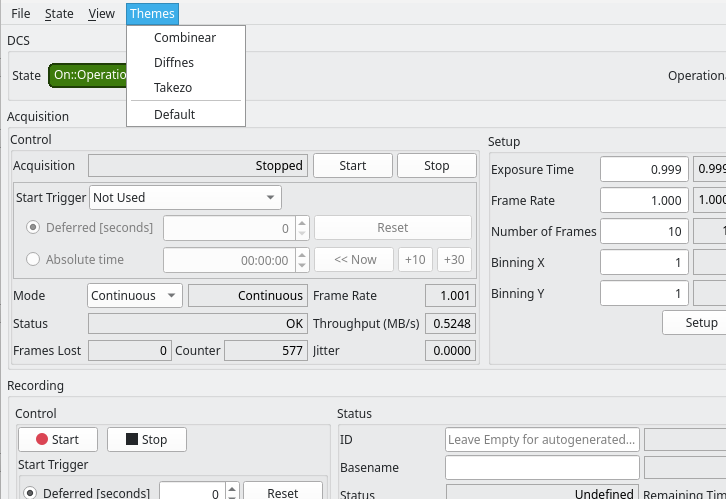
ccfGui menu for switching between QSS themes
9.3. CiiLogsWidget Styling Fix
The CiiLogsWidget (from CiiWidgets library) uses an alternating row
background that relies on inline style properties. When using the themes
bundled with ifw-wdglib, you must apply per-theme background colors to
ensure the rows display properly. The following pattern used in ccfGui
applies the correct colors when the theme is switched:
if style_name == "Combinear":
    log_widget.setStyleSheet("alternate-background-color: #3a3a3a; background-color: #000;")
elif style_name == "Diffnes":
    log_widget.setStyleSheet("alternate-background-color: #002b2b; background-color: #242424;")
elif style_name == "Takezo":
    log_widget.setStyleSheet("alternate-background-color: qlineargradient(...); background-color: #17212b;")
Without these overrides, the log widget rows will not match the theme’s dark appearance when Combinear, Diffnes, or Takezo are active.
9.4. Best Practices
Always call
remove_bgrole()on widgets after instantiation so that QSS styles take precedence over Taurus default coloring.Set the QSS style sheet once at application startup, and only when the user switches themes.
If using
CiiLogsWidget, apply per-theme inline styles as described in the CiiLogsWidget Styling Fix section above.