Health Check monitor


Agora | CAL | HC | refs | QC
HealthCheck Monitor
    HOME | UsersGuide
MIDI:
reference pixels
Other HC:
QC links:
[best viewing with style sheets and javascript enabled]
MIDI trending system: HEALTH CHECK plot
Last update: 2008-12-01T12:59:43 (UT)
now: 2008-12-03T00:14:02 (UT)
INFO USERS-GUIDE MORE
same group: OPEN HS SP longtrend_OP longtrend_HS longtrend_SP
history ... | plot tutorial ... [info]
last OPSLOG data:
2008-12-01
Plot: 1 2 3 4  
N_data: number of recent OPSLOG entries plotted here
N_data: 9 9 9 9 availability
Print: Information and research: News:
- png file - advanced studies: QC1 browser | QC1 plotter
The jump on the 13th of february 2008 is due to the introduction of a more accurate fitting routine. THIS IS NOT AN INSTRUMENTAL PROBLEM.
Plot
[info]
Symbol
[info]
Source* OPS?** Average [info] Thresholds [info] N_data Data downloads Remarks
method value unit method value
1 oQC1DB yes (9) none   YES none   252 this | last_yr | all  
2 oQC1DB yes (9) none   YES none   252 this | last_yr | all  
3 oQC1DB yes (9) none   YES none   252 this | last_yr | all  
4 oQC1DB yes (9) none   YES none   252 this | last_yr | all  
*Data sources: QC1DB: QC1 database; LOCAL: local text file | **OPS: to indicate if OPSLOG data are included
This plot

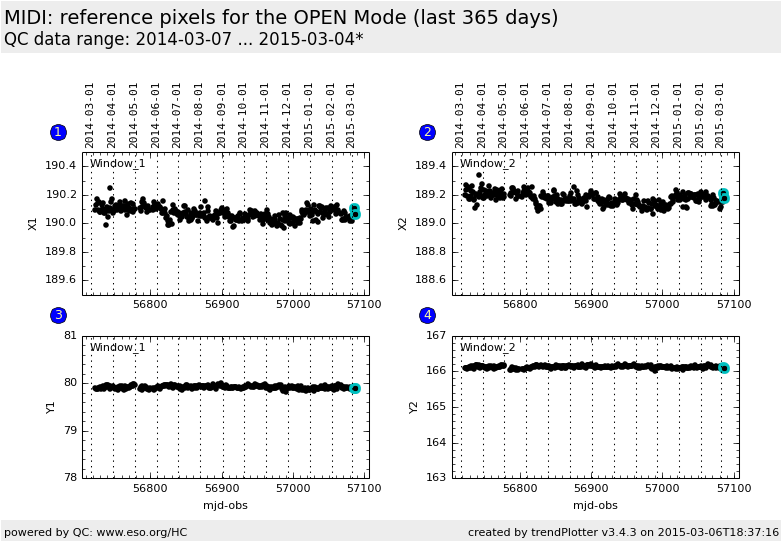
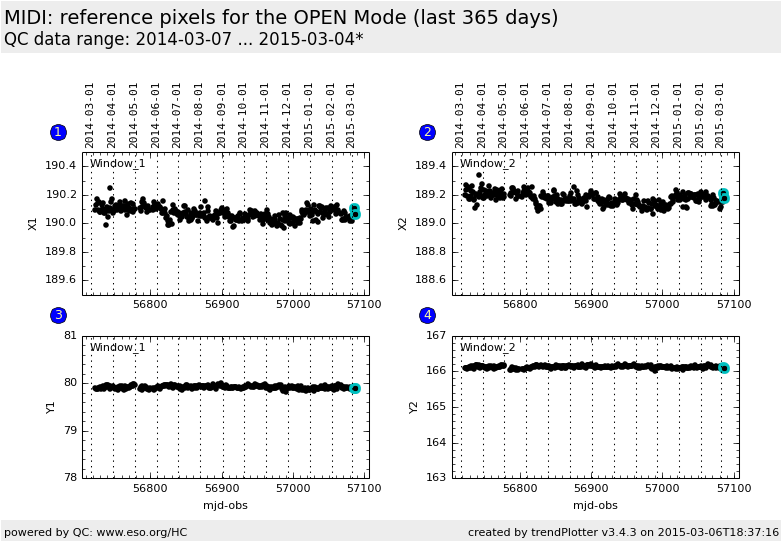
The reference pixels of MIDI are the two pixels of the detector onto which the centroids of the target images must fall in order to ensure a proper beam overlap. They are measured using the center of a pinhole, in the 3 set-ups OPEN, HIGH_SENS and SCI_PHOT, for telescopes beams A and B feeding MIDI, for the interfereomtric channnels 1 and 2 of MIDI, and for the photometric channels PA and PB of MIDI (in SCI_PHOT only).  


General information

Click on any of the plots to see a close-up version.

If applicable, the latest values from Paranal ops logs are plotted as blue dots. More information about those values, including a download option, is available in the OPSLOG section on top of the page.

The latest date is indicated on top of the plot, data points belonging to that date are specially marked.

If configured,

  • statistical averages are indicated by a solid line, and thresholds by broken lines
  • outliers are marked by a red asterisk. They are defined as data points outside the threshold lines
  • "aliens" (= data points outside the plot Y limits) are marked by a red arrow ( or )
  • you can download the data for each parameter set if the 'Data downloads' link shows up