Plot
? |
Symb
? |
Source
* |
Average ? |
Thresholds ? |
N_
data |
QC1
parameter |
Data
downloads |
Remarks |
| method |
value |
unit |
method |
value |
| 1 |
• | QC1DB |
MEDIAN |
0.213 |
none |
VAL | 0.1,0.25 |
5 |
efficiency4 |
this |
last_yr |
all
|
efficiency at 4900A |
| 2 |
• | QC1DB |
MEDIAN |
0.189 |
none |
VAL | 0.1,0.25 |
5 |
efficiency4 |
this |
last_yr |
all
|
efficiency at 4900A |
| 3 |
• | QC1DB |
MEDIAN |
0.191 |
none |
VAL | 0.1,0.25 |
5 |
efficiency4 |
this |
last_yr |
all
|
efficiency at 4900A |
| 4 |
• | QC1DB |
MEDIAN |
0.212 |
none |
VAL | 0.1,0.25 |
5 |
efficiency4 |
this |
last_yr |
all
|
efficiency at 4900A |
| |
|
*Data sources: QC1DB: QC1 database; LOCAL: local data source
|
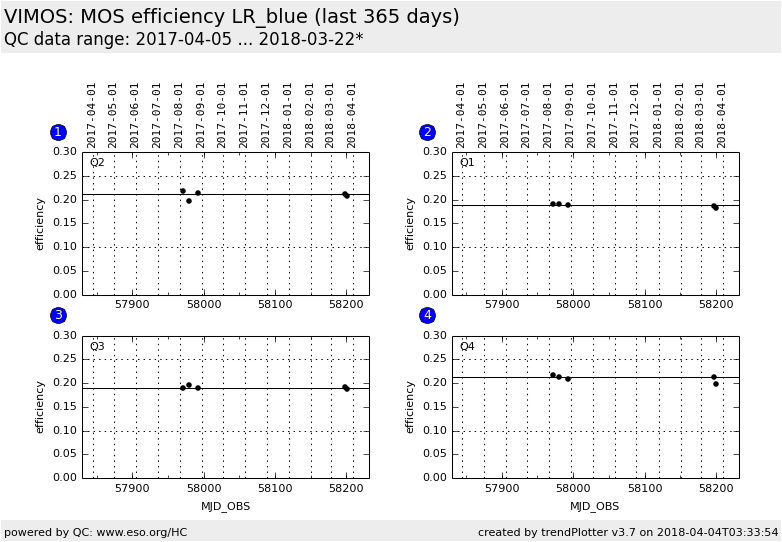
Plot 1
scores:  2| 2|
| | data source: | vimos_mos_std
(QC1 database) |
| dataset: | efficiency4 | • |
| median: | 0.213 | none |
| fixed thresholds: | 0.1...0.25 | none |
| N_data plotted: | 5 |
| [click plot for closeup] |
Plot 2
scores: 2|
| | data source: | vimos_mos_std
(QC1 database) |
| dataset: | efficiency4 | • |
| median: | 0.189 | none |
| fixed thresholds: | 0.1...0.25 | none |
| N_data plotted: | 5 |
| [click plot for closeup] |
Plot 3
scores: 2|
| | data source: | vimos_mos_std
(QC1 database) |
| dataset: | efficiency4 | • |
| median: | 0.191 | none |
| fixed thresholds: | 0.1...0.25 | none |
| N_data plotted: | 5 |
| [click plot for closeup] |
Plot 4
scores: 2|
| | data source: | vimos_mos_std
(QC1 database) |
| dataset: | efficiency4 | • |
| median: | 0.212 | none |
| fixed thresholds: | 0.1...0.25 | none |
| N_data plotted: | 5 |
| [click plot for closeup] |
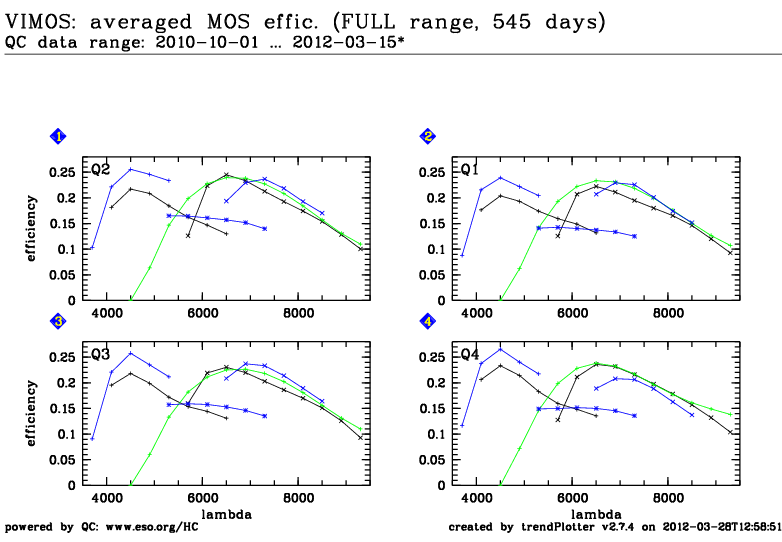
Trending plot for the overall MOS efficiency, measured using spectrophotometric standard stars.
The following settings are used:
LR_blue grism + OS-blue filter
LR_red grism + OS-red filter
MR grism + GG475 filter
HR_blue grism (without filter)
HR_orange grism + GG435 filter
HR_red grism + GG475 filter
The thresholds for scoring are set for monitoring the quality of the
individual calibration. Outliers could indicate that the measurement was done
through (thin) clouds or that the star was not correctly centered on the slit.
Such measurements should be repeated.
A new HR_blue grism has been installed in March 2012. The plots for HR_blue
show the efficiency at 5700A until 2011. From 2012 onwards, these plots are
for the efficiency at 4500A.
Template ID: mos_cal_Specphot. Pipeline recipe: vmmosstandard.
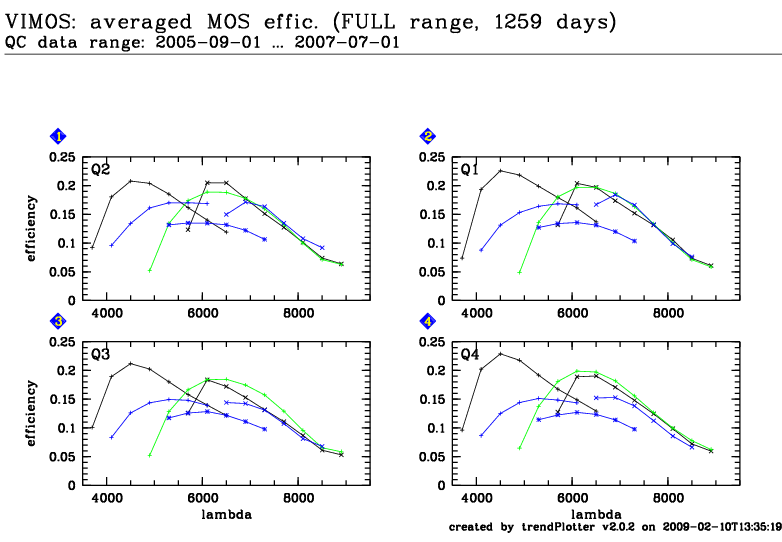
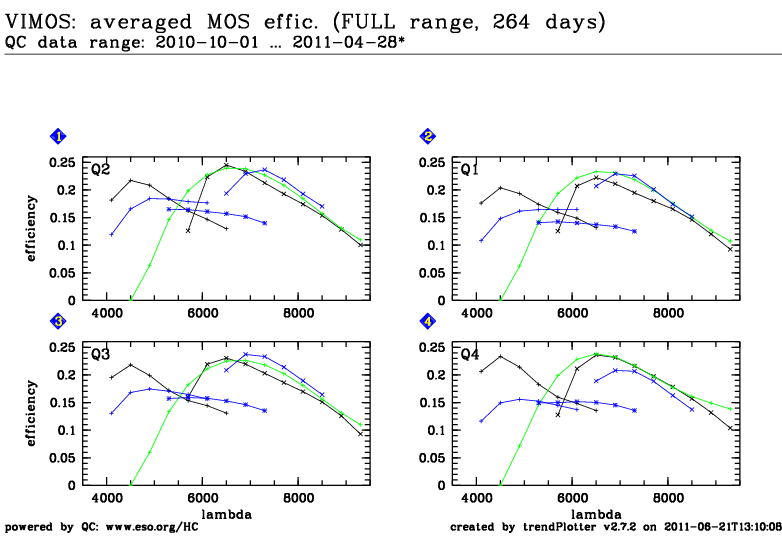
Plots that show the efficiency vs. wavelength have been created by averaging
several standard star measurements. They show the efficiency
before
and
after
the 2010 instrument upgrade. Measurements with the new HR_blue grism from
March 2012 are included
here.
General information
Click on any of the plots to see a close-up version.
The latest date is indicated on top of the plot.
If configured,
- data points belonging to the latest date are specially marked
- statistical averages are indicated by a solid line, and thresholds by broken lines
- outliers are marked by a red asterisk. They are defined as data points outside the
threshold lines
- "aliens" (= data points outside the plot Y limits) are marked by a red arrow (↑ or ↓)
- you can download the data for each parameter set if the 'Data downloads' link shows up
|
 mirror sites:
PL (internal
link) HQ
[?]
mirror sites:
PL (internal
link) HQ
[?]