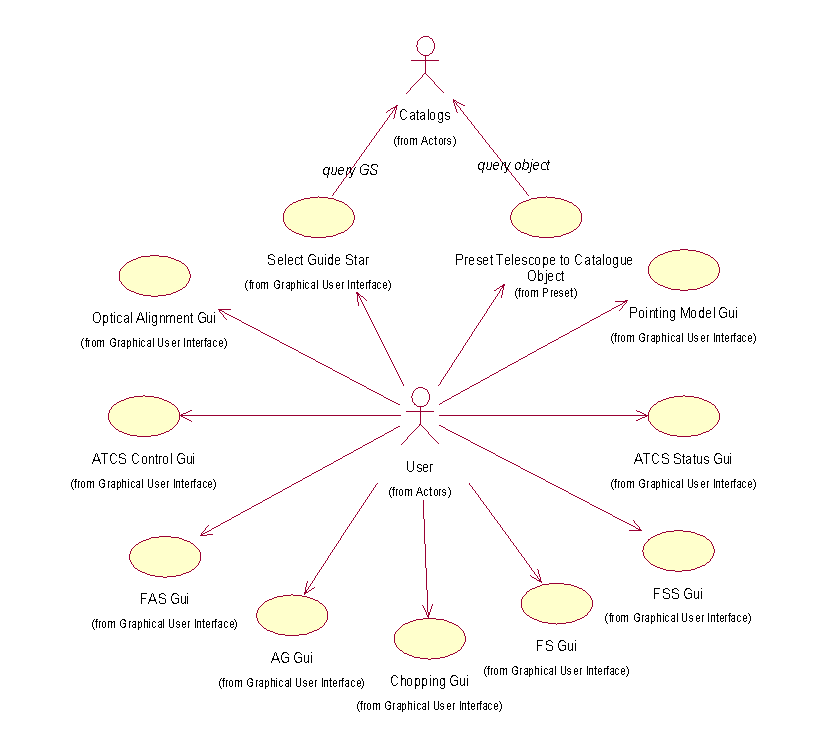
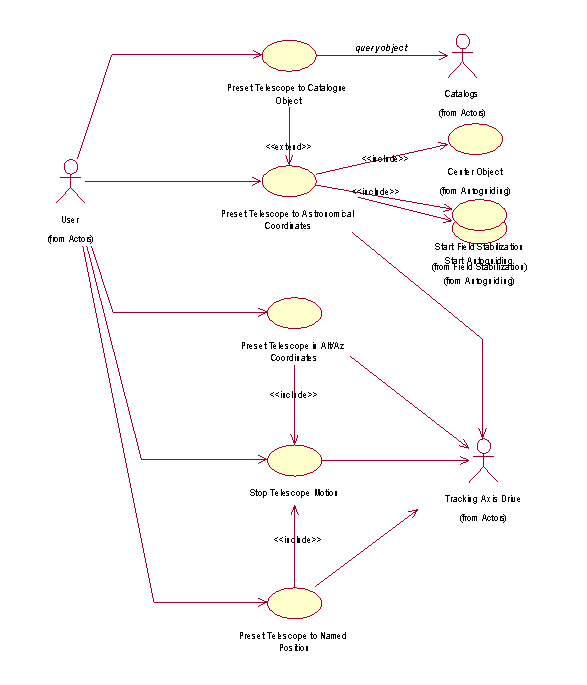
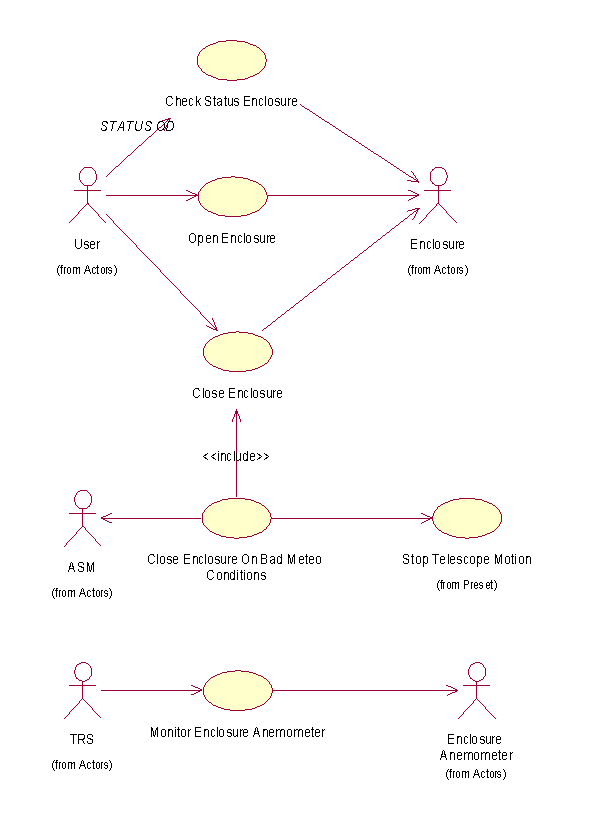
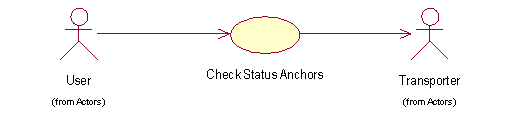
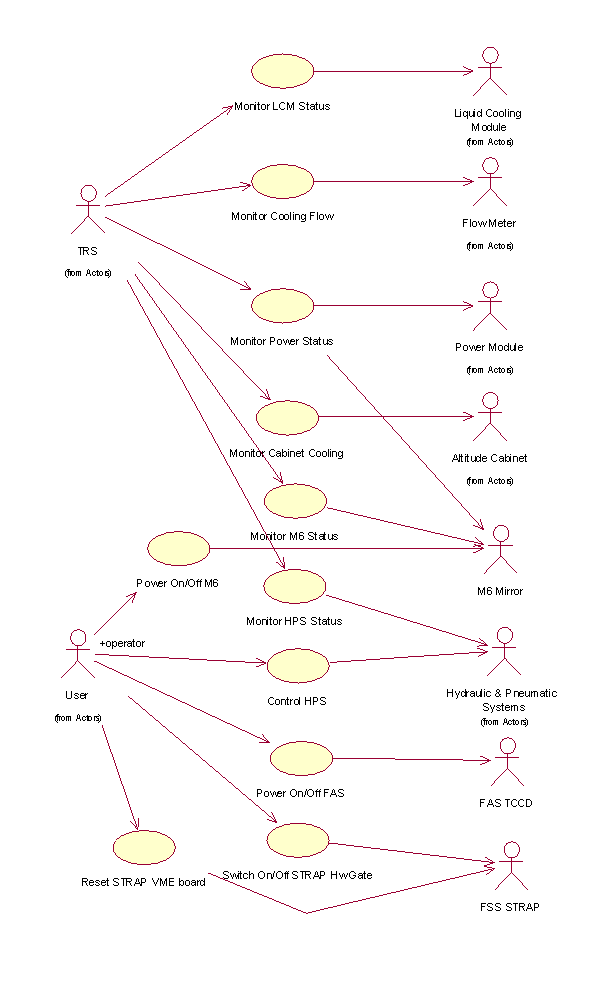
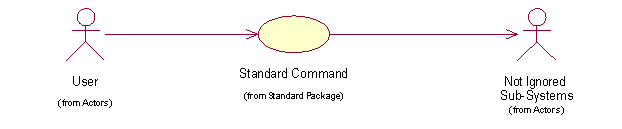
Telescope Interface Use-Case diagram
This document describes all the Use and Collaboration Cases for the Auxiliary Telescope Control Software as they have been detailed during the Preliminary Design phase.
During the Architectural Analysis and Preliminary Design, system packages are identified and all Use Cases are assigned to one and only one package. During this activity, new Use and Collaboration Cases have to be introduced to avoid that the flow of an existing Use Case goes through the boundary of a package.
In the following sections, all Use and Collaboration cases are listed, sorted according to the package to which they have been assigned.
Packages have also been grouped following the order that we consider more useful to comprehend how the system is supposed to work:
More details and new Use Cases will be added in the next project phases.
The interaction of human users with the system will take place via command interfaces and graphical user interfaces. In this document the type of user interaction is not specified, unless explicitly requested by the mapped requirements.
Telescope Interface Use-Case diagram
Graphical User Interface Use-Case diagram
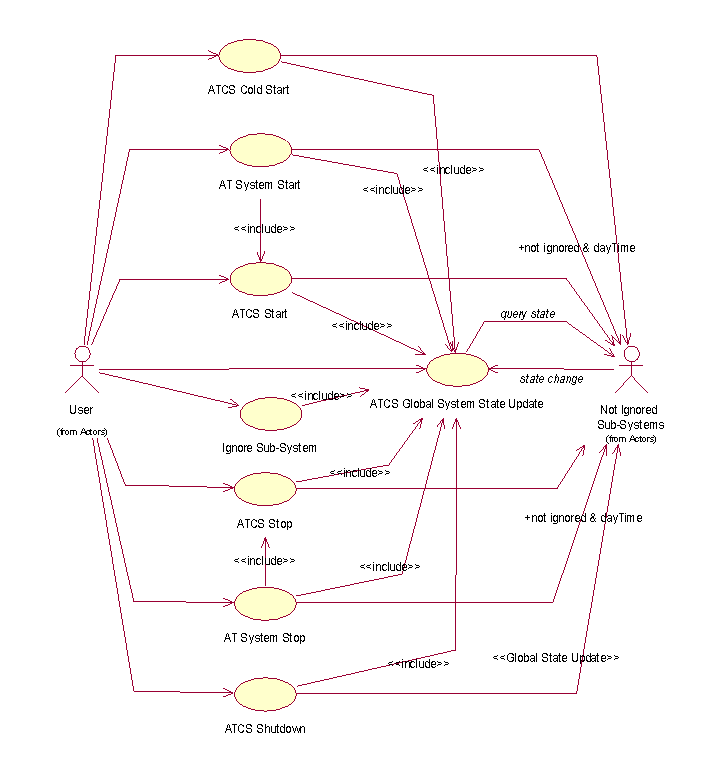
The Mode Switching functions are used to command the AT Control
System as a whole and to provide information regarding its global
operational state.
They provide basically the following two services:
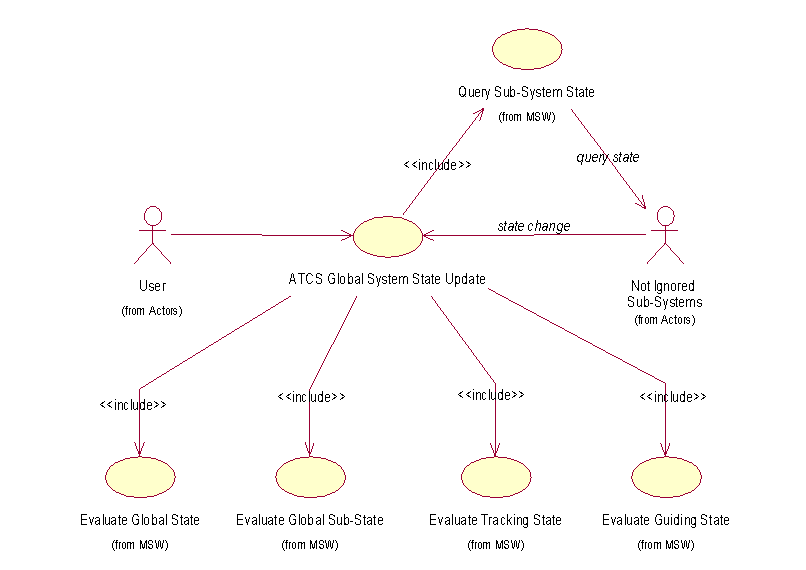
The AT Control System global status is based on the status of a list of sub-systems (required subsystems/modules) based on current operational conditions, but with the possibility for the operator or during maintenance of overwriting the system selection by ignoring explicitly specific sub-systems (ignored subsystems/modules).
Mode Switching Use-Case diagram
System States Use-Case diagram
The Presetting functions shall take care of requests to move the telescope to a new object, specified through its celestial coordinates (right ascension and declination), or to a new fixed position, expressed in local telescope coordinates (altitude and azimuth) or by means of predefined keyworks (like zenith). Only in the first case the tracking will start automatically just after the preset procedure has completed. A preset request can be delivered either by specifying in a command the value of the required presetting parameters or by passing a pointer to a setup file, which holds the complete information to configure and position the telescope.
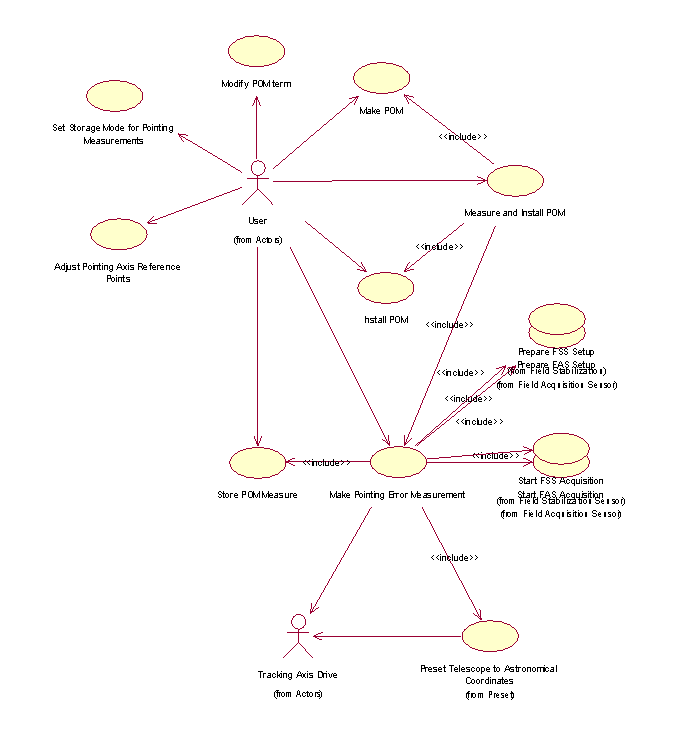
The Pointing Modelling software creates and updates, automatically or interactively, pointing models used to improve the telescope pointing accuracy, by compensating geometrical misalignments and structural flexures. The whole task will be carried on in three successive phases:
Note: The VLTI SRS defines only the first two phases and includes what here is the third phase in the second one. Actually, the installation of a pointing model is done as a separate task and different pointing model can be selected and installed depending on the observing conditions. For this reason we prefer to define three separate phases. Section 3.2.2 of VLTI SRS has to be fixed.
Pointing Model Use-Case diagram
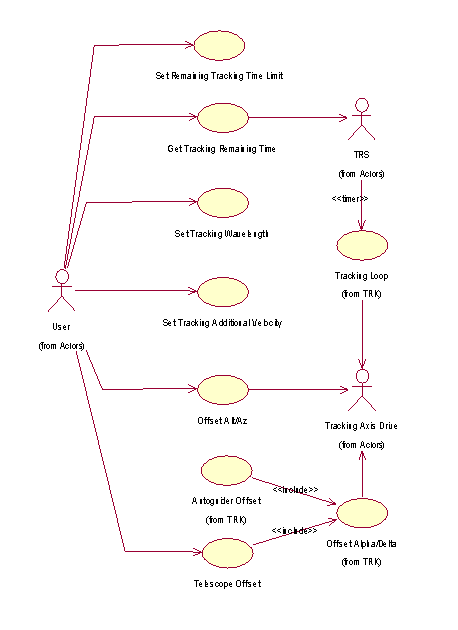
The Tracking software shall implement the function that drives the telescope to follow the apparent motion of an astronomical object, by rotating the altitude and the azimuth axes according to pure astronomical calculations (i.e. without any feedback from the actual image) and taking into account the pointing model. The function is not activated directly, by an explicit command, but as a consequence of a preset command. All preset command specifying celestial coordinates (astronomical preset) will activate tracking, unlike those using local telescope coordinates (alt-az preset), which will not start tracking. Then tracking will remain active until a stop command (forwarded by Mode Switching) or a new alt-az preset is requested.
The AT Control Software provides high-level coordination functions to perform a number of optical alignment tasks. They will be invoked by the VLTICS-ISS in coordination with the control of other VLTI sub-systems located in the Interferometric Lab. (e.g. pupil sensor, image sensor, Instruments, etc.)
The following reference points at Coudé and for M6 that are relevant for Optical Alignments and shall be "understood" by the ATCS and the VLTI Supervisor Software (ISS).
Note: the reference "zero point" when the Pointing Model is established shall be the Az axis.
Note: When the telescope is pre-set (and before the Field stabilisation is closed), the M6 shall be at its center position.
Image Alignment Use-Case diagram
Pupil AlignmentUse-Case diagram
Optical Adjustments Use-Case diagram
Calibrations Use-Case diagram
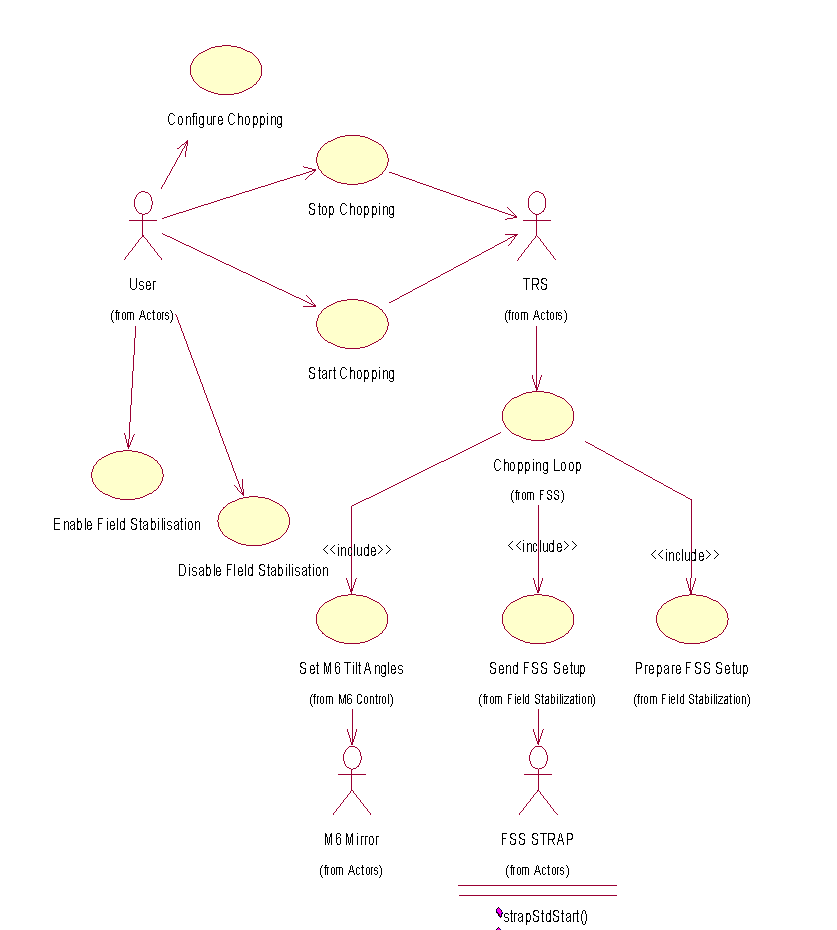
The chopping software takes care of requests by the user to perform chopping cycles. Chopping on the AT will have limited capabilities with respect to the UT. It will be used primarily by the MIDI 10mm Instrument. It is performed using M6. Coordination with FS is necessary to enable FS during chopping (however only on the star position, not on the sky position).
Chopping shall be available at 1Hz (goal is 5Hz) with a stroke of 6" on the sky.
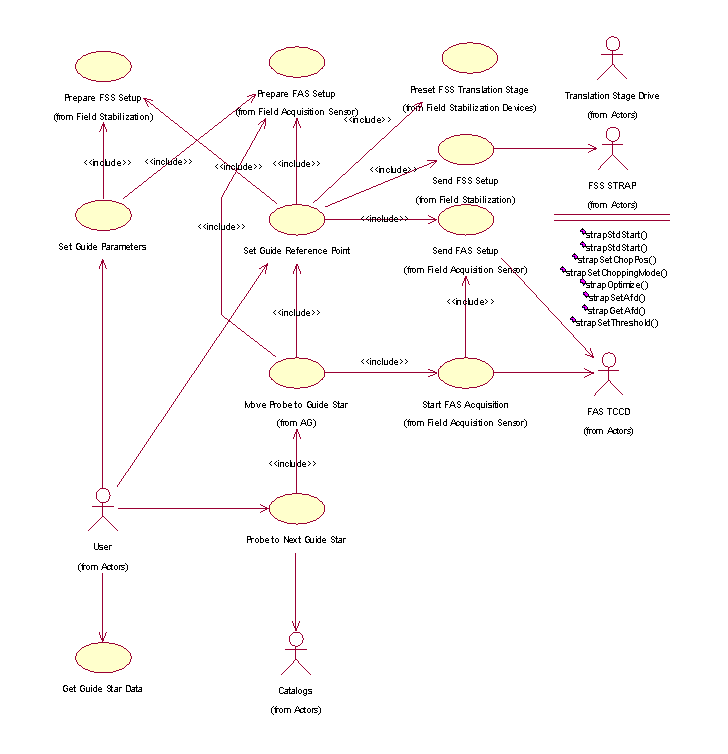
The Autoguiding software shall intervene to correct telescope position errors of low frequency. Such errors can be caused by inaccurate coordinate or refraction calculations, flexure or vibration in the structure, temperature variations, wind buffeting. Corrections are applied to the telescope's axes, altitude and azimuth. The Autoguiding is not supposed to correct errors with frequency higher than 1 Hz, like variations in atmospheric or local seeing.
The Autoguiding technique is based on the selection in the field of view of a guide star, which is bright enough to allow to measure reliably its position by means of a CCD camera in the Field Acquisition Sensor. The computed position errors are then used to move the telescope in a close loop control.
Autoguiding functions are started automatically, if the guiding type parameter has been set to <autoguiding>, after the telescope preset has been completed.
A complete sequence of actions is then automatically executed, which means that generally no commands are necessary during the observation time. Nevertheless it is possible to control/initiate various autoguiding functions or to configure its behavior by means of a set of explicit commands.
Note:The term guide probe is used in the following Use Cases in a generic way and does not imply the presence of an independent guide probe installed on a robotised arm.
For the autoguiding of the AT the guide probe is just the on-axis Field Acquisition Sensor with the possibility of defining a guide box in any area of the FAS field, emulating the movement of a real guide probe.
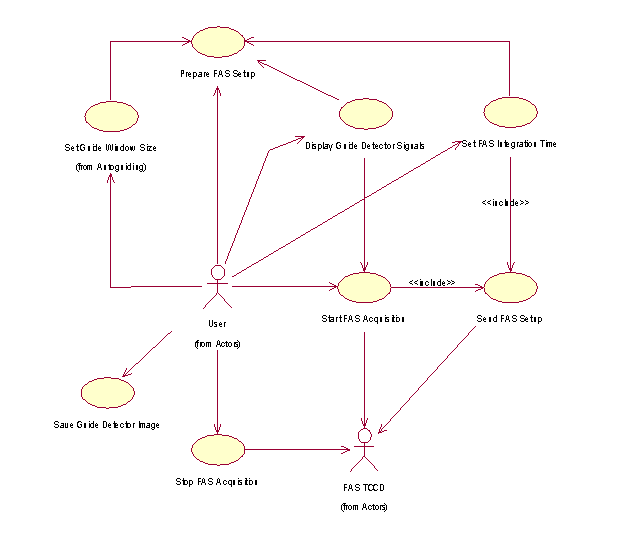
Field Acquisition Use-Case diagram
The purpose of the Field Stabilization is to make position
corrections faster than those achievable by Autoguiding. Such
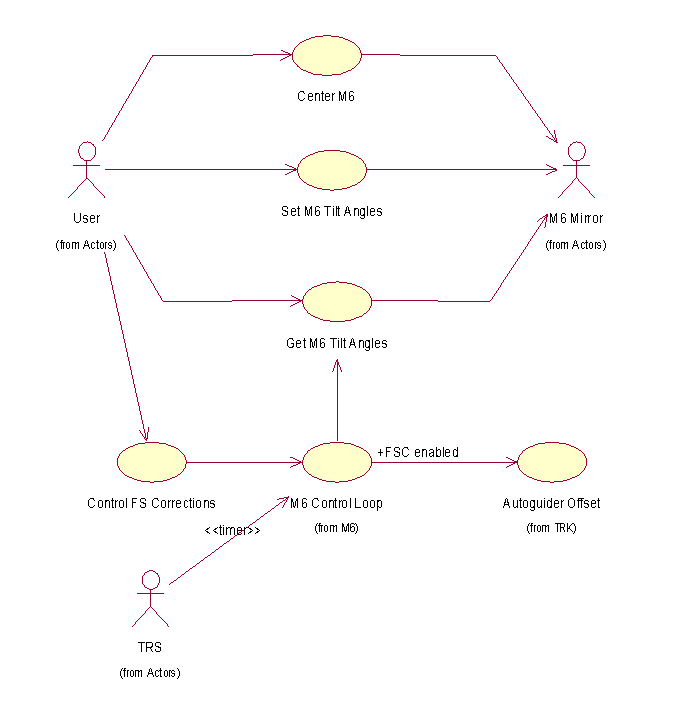
corrections are performed by modifying the tip/tilt angle of M6, in
addition to the telescope's axes movements, and are supposed to
compensate errors with a frequency up to about 10-60 Hz (depending on
star magnitude).
Field Stabilization functions are started automatically, if the guiding type parameter has been set to <field stabilization>, after the telescope preset has been completed.
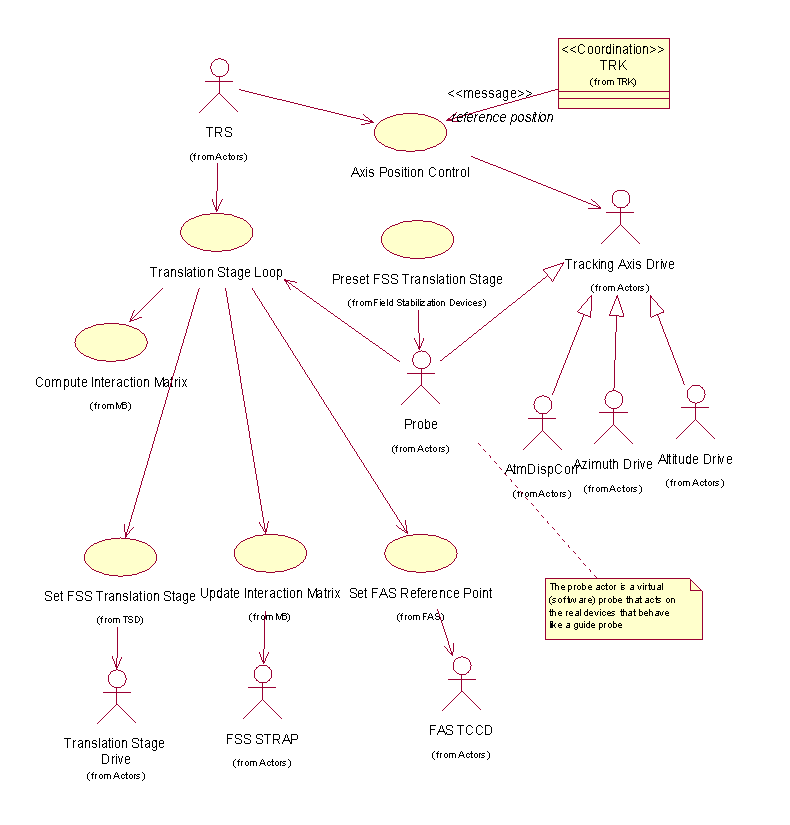
The Field Stabilization corrections are based on measurements acquired by a dedicated detector, the Field Stabilization Sensor, mounted on a XY-Translation table.
Most of the functions of Field Stabilization are very similar to those of Autoguiding, in fact Field Stabilization can be seen as an extension of Autoguiding, and where applicable, the same functions shall be provided. In most of the cases, the FAS is used when an interaction with the user is required and the coordinates selected from the image on the FAS are fed to the XY-Translation table to position the FSS.
Note: We assume here that the FAS and FSS can have the same
field of view, i.e. that every point in the FAS display can be reached
by the APD positioning properly the FSS.
Note:The term guide probe is used in the following Use Cases in a generic way and does not imply the presence of an independent guide probe installed on a robotised arm.
For the field stabilization of the AT the guide probe is the Field Stabilization Sensor, i.e an APD quadrant cell mounted on an XY-Translation table.
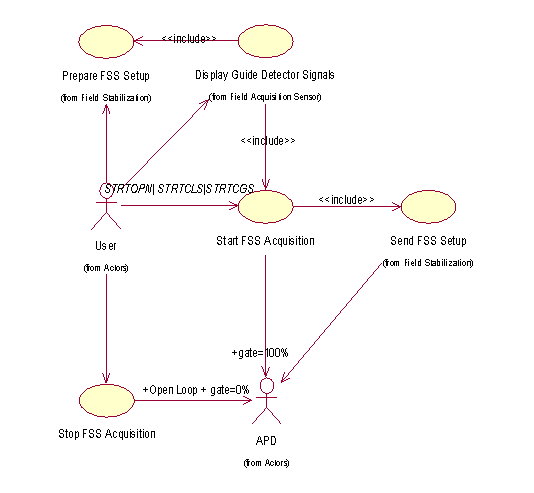
Field Stabilization Use-Case diagram
see
Autoguiding Use-Case diagram
see
Guide Star Use-Case diagram
Field Stabilization Subsystem Use-Case diagram
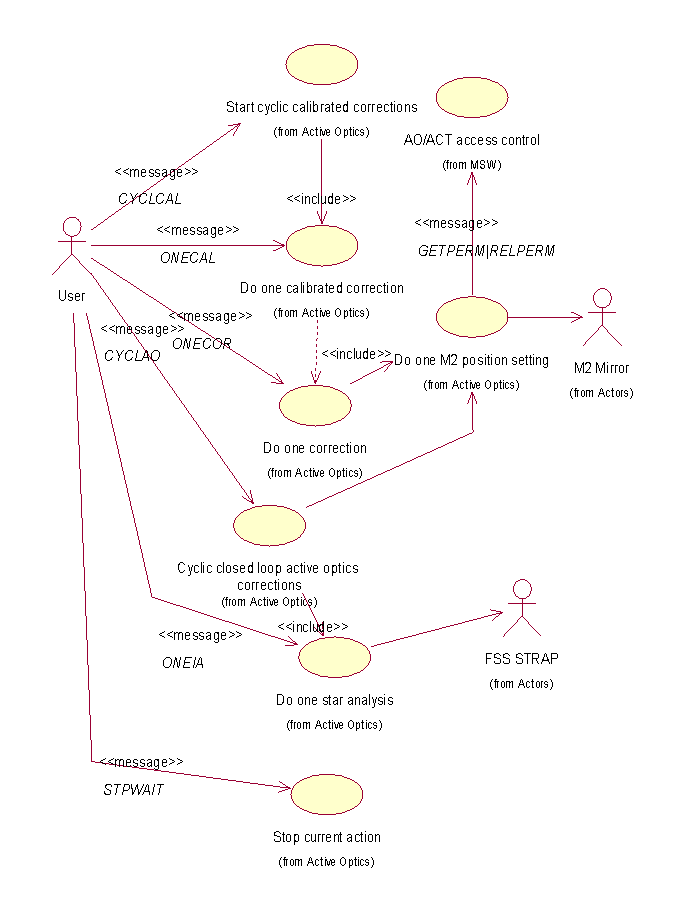
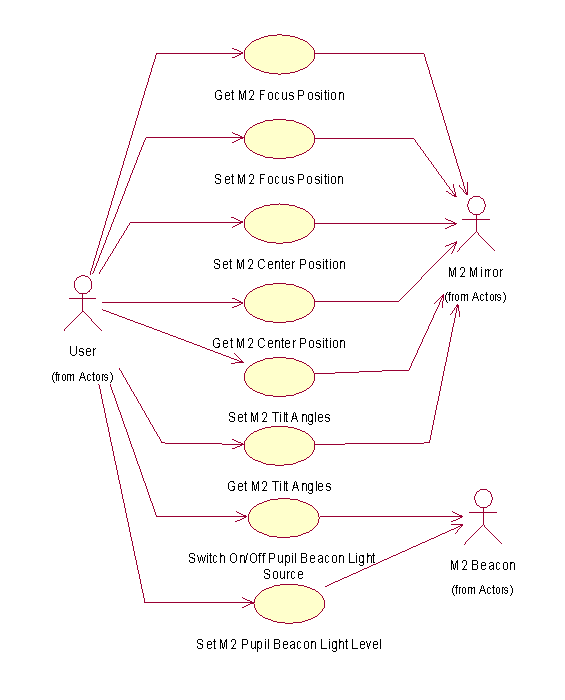
The active optics takes care of focusing/centering M2.
Active Optics Use-Case diagram
Monitor and FITS log various environmental data and temperatures.
Tracking Axis Use-Case diagram
The CCD Field Acquisition functions provide a high level control of the Field Acquisition Sensor, which supplies an image of the stellar field from the Coudé Focus. In most cases the limitation in telescope pointing accuracy will require to measure, after presetting to given coordinates, the image position at the Coudé Focus before sending offset pointing commands to the telescope to re-center the image. This measurement will be performed on the image provided by the Field Acquisition Sensor. The same type of measurement will also be used to build and update the pointing model.
Field Acquisition System Use-Case diagram
The APD Field Acquisition functions provide a high level control of the Field Stabilization Sensor, which supplies statistical data on the position of the GS from the Coudé Focus.
Field Stabilization System Use-Case diagram
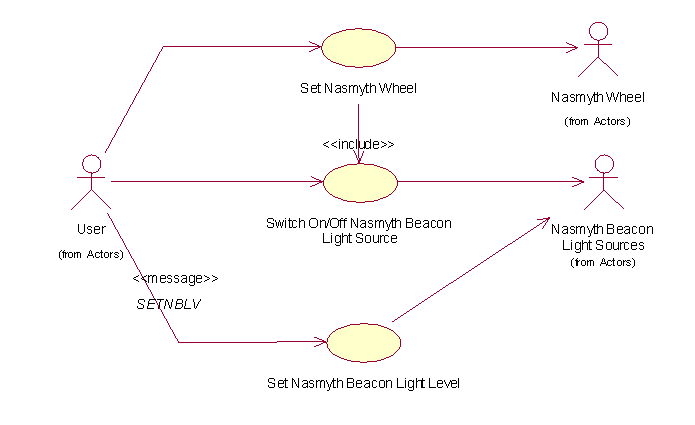
Nasmyth Devices Use-Case diagram
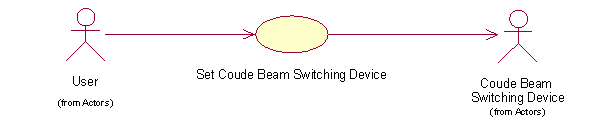
Coudé Beam Switching Device Use-Case diagram
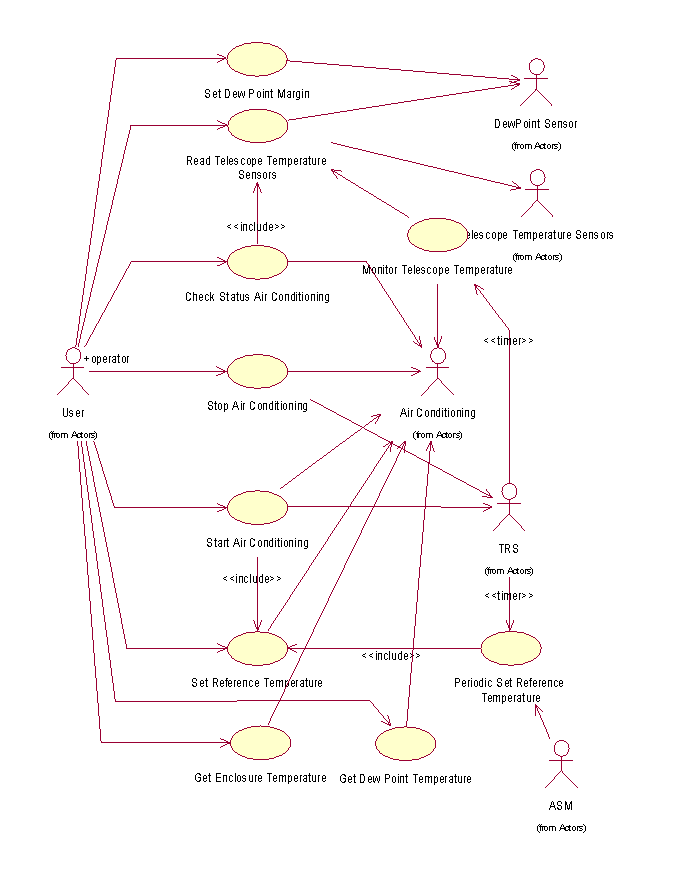
Air Conditioning Use-Case diagram
Thermal control Subsystem Use-Case diagram
Service Modules Use-Case diagram
Standard Package Use-Case diagram
[ ESO | VLT software | VLT OOWG ]
Last modified: Tue Oct 29 16:15:55 UTC 2002